
Landscape in a Sphere
During this Procreate tutorial we’ll create this lovely looking landscape inside a sphere. I’ll take you through all the steps, so no worries! I’m looking forward to seeing your results.
Brushes used:
- Monoline Brush
- Soft Brush
- Script Brush
- Pine Tree Broad Brush
Canvas Size:
- 3500 x 3500 pixels
Skills Learned:
- Creating and Centering Shapes: You’ll learn to make perfect circles using the Quick Shape tool and center them on the canvas with the Snapping feature
- Working with Layers and Clipping Masks: Use layers and clipping masks to neatly contain the landscape within the sphere
- Applying Lighting and Shadows: The tutorial shows how to effectively use different layer blending modes like Multiply and Hard Light to create realistic lighting and shadow effects
- Creating a 3D Effect: You’ll learn to make the sphere and the landscape within it look three-dimensional, with tips on adding gradients, reflections, and light sources
Isometric Garden
In this tutorial we’ll create this peaceful garden with rounded shapes together. You’ll learn how to use an isometric grid to create this cute design, it’ll be fun!
Brushes used:
- Basic Sketcher
- Script Brush
- Mercury Brush
- Soft Brush
- Light Pen
Canvas Size:
- 3500 x 3500 pixels
Skills Learned:
- Creating an Isometric Grid: Learn how to set up an isometric grid in Procreate for accurate angles and dimensions, essential for isometric drawings
- Sketching and Line Art: Master the art of sketching out your garden design and refining it into clean line art, using the isometric grid as a guide
- Layering and Color Application: Understand how to efficiently use layers for different elements like grass, water, rocks, and structures, and apply colors effectively
- Final Touches with Line Art: Enhance the final piece with subtle line art, adding crispness and definition to various elements
Stylized Beach
In this Procreate tutorial we’re going to create a breathtaking Sunset Beach illustration. Don’t worry if you’re just starting out or if you’ve never picked up a digital brush before; I’ve got you covered every step of the way. By the end of this tutorial, I promise you’ll look at your creation and feel an immense sense of achievement. And hey, if you feel like sharing your masterpiece on Instagram, make sure to tag me so I can see your amazing work. Perhaps it’ll even get featured in one of my next videos!
Brushes used:
- Monoline Brush
- Script Brush
- Soft Brush
- Studio Pen
- Light Pen
- Flare Brush
Canvas Size:
- 2300 x 3000 pixels
Skills Learned:
- Creating a Gradient Sky and Sun: You learn to utilize Gaussian blur for smooth transitions in the sky and for the sun
- Layering and Color Blending: Through the use of multiple layers and alpha lock, you gain insights into blending colors seamlessly for a natural look.
- Use of Layer Masks and Blending Modes: The tutorial introduces advanced concepts like layer masks and blending modes for creating light effects
Anime-style Dramatic Sky
For this project we’ll create this stunning cloudscape together. It’s a bit more challenging, but I’m sure you can do it!
This tutorial is packed with valuable tips and techniques, perfect for those who love landscape art. Whether you’re a beginner or an experienced Procreate user, these steps will help you craft stunning cloudscapes. Don’t forget to grab the brushes from freefromflo.com, and share your amazing artwork. Tag me on Instagram for a chance to be featured!
Brushes used:
- Jittery Tapered
- Standard Blender
- Color Booster
- Soft Brush
- Fineliner Brush
- Hartz Brush
- Jagged Brush
- Simple Grass Brush
- Soft Scattery Bush
Canvas Size:
- 2300 x 3000 pixels
Skills Learned:
- Layer Blending and Opacity Control: Discover how to effectively use layer blending modes and adjust layer opacity to create depth and realism in your clouds
- Brush Techniques: Master various brush strokes, including rounded shapes for cloud silhouettes and smaller strokes for finer details
- Smudging and Blending: Learn to smudge and blend colors seamlessly, creating soft transitions and maintaining texture within your clouds
- Detailing and Texturing: Enhance your clouds with details like highlights and shadows, using color variety and texture to bring your artwork to life
Get the full set!
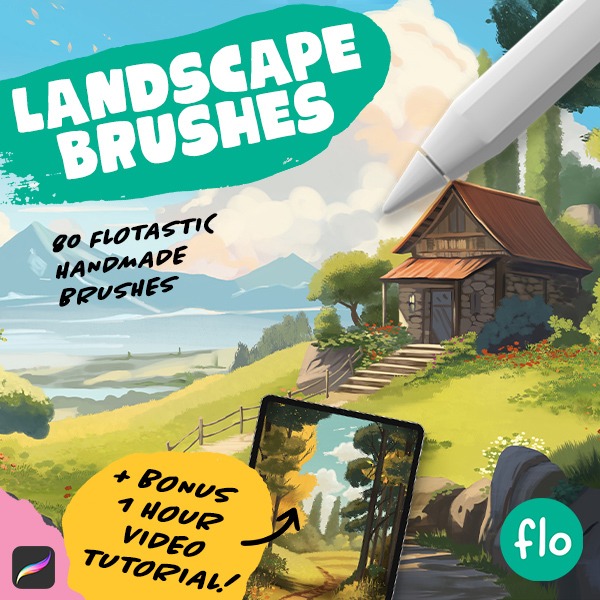
Want even more landscape fun? Check out the full brush pack! It contains 70 Flotastic Landscape brushes for endless fun.

Stylized Landscape
If you’ve ever wanted to dip your toes into the colorful pool of Procreate but felt a tad overwhelmed, you’ve clicked on the right tutorial. It’s like your cozy, creative blanket, perfect for both Procreate newbies and those of you seeking a calm art escape. I’ll guide you through every step along the way while we create this lovely and colorful landscape. So, buckle up, grab your iPad, and let’s get that creative energy flowing!
Brushes used:
- Soft Brush
- Monoline Brush
- Script Brush
Canvas Size:
- 3500 x 3500 pixels
Skills Learned:
- Alpha Lock and Layer Clipping Mask: These techniques are pivotal for adding intricate details to specific parts of your artwork without affecting other elements
- Layer Blending Modes: The use of blending modes like multiply and screen is illustrated to add depth, texture, and light to the landscape
- Drawing Perfect Shapes: It covers how to draw perfect circles and other shapes
Mountain Cabin
Brushes used:
- Script Brush
- Monoline Brush
- Soft Brush
Canvas Size:
- 4000 x 3000 pixels
Skills Learned:
- Clipping Mask & Alpha Lock: Learn to control where your paint affects the canvas, allowing for non-destructive adjustments and layering techniques
- Layer Blending Modes: Understand how blending modes like Multiply and Screen can add depth, shadows, and highlights to your artwork
- Perspective Grid: Utilize the perspective grid to accurately sketch and place objects within a three-dimensional space
- Layer Management: Gain insights into effective layer management to enhance the complexity of your scene without overwhelming your canvas
Anime Style Sky
In this advanced tutorial, we’ll tackle the challenge of creating an anime-style dramatic sky with voluminous clouds. This lesson is ideal for those seeking to enhance their skills in cloud painting.
Brushes used:
- Soft Brush
- Flotastic Brush
- Smear It Around Brush
- Dynamic Color Brush
- Soft Streaky Mixer
- Smooth Sketching Brush
- Luminance Brush
- Couple Brush
Canvas Size:
- 2300 x 3000 pixels
Skills Learned:
- Cloud Shaping and Detailing: Master the art of using the Flotastic Brush to paint fluffy, detailed clouds, focusing on shape variety and layering for depth
- Color Variation: Explore how to add life to your clouds and sky with a dynamic range of colors, ensuring your clouds pop with realism and depth
- Light and Shadow Dynamics: Discover the secrets to painting realistic light and shadow on clouds, enhancing the three-dimensional feel of your scene
Autumn Sunset Landscape
In this Procreate tutorial we’ll be creating an amazing landscape that’s both fun and easy to make. No experience? No problem. I’ll walk you through every step, from basic shapes to adding gradients and texture, and even a cool trick for making a standout tree. You’ll be learning by doing, and by the end, you’ll have a piece you’re eager to share. And if you do, don’t forget to tag me so I can see your fantastic work. Ready to create something you’re proud of? Let’s get started!
Brushes used:
- Soft Brush
- Monoline Brush
- Script Brush
- Fineliner Brush
Canvas Size:
- 2300 x 3000 pixels
Skills Learned:
- Creating Gradients: The tutorial demonstrates how to seamlessly blend colors to create a stunning background gradient using the soft brush
- Layer Management: Learn to effectively manage layers, including merging them to maintain organization and prevent exceeding the layer limit
- Lighting and Shadow: Through the use of clipping masks and color variations, the tutorial explores how to simulate lighting and shadow, enhancing the realism and dynamism of the landscape
Ghibli Style Landscape
I’m so excited about this tutorial, a landscape like this is so much fun to create. During this tutorial we will paint this Studio Ghibli inspired landscape together. It’s pretty easy actually!
Brushes used:
- Soft Brush
- Flotastic Brush
- Tapered Lines Brush
- Scattered Soft Bush Brush
- Fineliner Brush
- Soft Rounded Mossy Grass Brush
- Medium Hard Brush
Canvas Size:
- 2300 x 3000 pixels
Skills Learned:
- Gradient Creation: Master the technique of creating a smooth gradient for the sky, using the soft brush and Gaussian blur
- Layer Management: Learn how to efficiently use layers for creating elements like water, hills, clouds, and foreground objects
- Color Blending: Enhance your skills in blending colors for natural-looking elements like hills, rocks, and trees
- Detailed Texturing: Develop the ability to add texture and depth to various elements, such as grass, rocks, and tree trunks
- Shadow and Light Effects: Gain insights into using shadows and light to add realism and depth to the landscape