
Painterly Cabin
In this tutorial, we embraced a free-flowing, painterly approach, focusing on loose brush strokes and color play. The aim is to let go of perfectionism and enjoy the process of painting. We’ll create this painterly cabin in an autumn forest.
Brushes used:
- Random Strokes Brush
- Dry Mixer Brush
- Smeary Damp Brush
- Opaque Thin Brush
Canvas Size:
- 2300 x 3000 pixels
Skills Learned:
- Layering Colors: You’ll learn how to create depth and interest by layering different colors, using various brushes to achieve a loose, painterly effect
- Brush Control: Adjusting brush opacity and size for different effects taught us greater control and versatility in our painting techniques
- Smudging and Blending: Use the Dry Mixer Brush, we will master the art of smudging and blending colors, creating smooth transitions and dynamic strokes
- Adding Details and Textures: We’ll focus on adding details like tree trunks and leaves, using smaller brush sizes for finer work, and understanding how to balance detail with the painterly style
Pink Forest
Let’s dive right into the heart of this delightful Procreate tutorial where you’re creating a stunning pink forest landscape. The process is smooth and enjoyable, and you’re not using any painterly brushes or gradients. Instead, you’re mastering the art of color variation through a series of shapes and clever use of layer blending modes. Plus, there are two special brushes from the Flotastic Nature Brush Pack for the foliage and grass.
This tutorial is not just about painting a picture; it’s about embracing a whole new approach to color and composition in Procreate.
Brushes used:
- Script Brush
- Scattered Soft Bush
- Rounded Tufts
Canvas Size:
- 2300 x 3000 pixels
Skills Learned:
- Layer Blending Modes: You’re discovering how to use different blending modes for adding depth and vibrancy to your landscape
- Stylized Tree Creation: You’re learning to draw stylized trees, from trunks to crowns, enhancing the forest feel
- Grass and Foliage Techniques: You’re exploring techniques for adding grass and foliage, bringing life and texture to your forest floor
Get the full set!
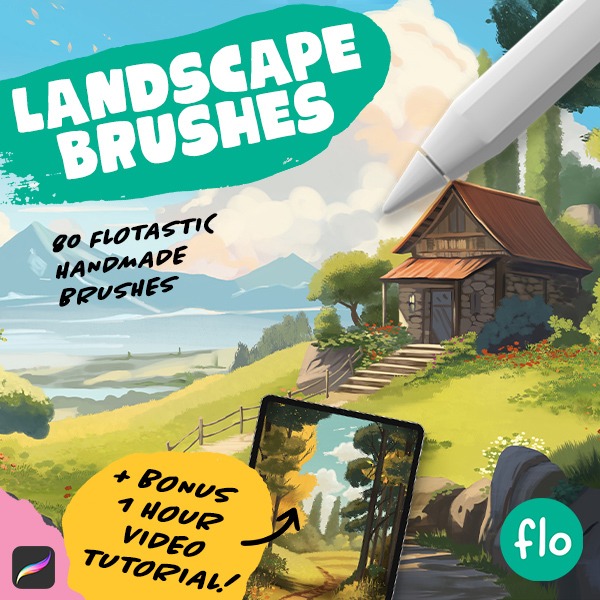
Want even more landscape painting fun? Check out the full brush pack! It contains 80 unique handmade landscape brushes.

Autumn Sunset
Welcome to your next Procreate project! If you’re new to digital art or just looking to brush up on your skills, this tutorial is perfect for you. We’ll be creating a stunning Autumn landscape together, step by step. It’s a fantastic way to learn, and I can’t wait to see your take on it. Don’t forget to tag me on Instagram with your finished piece!
As you dive into this tutorial, remember that it’s all about learning and enjoying the process of creating art.
Brushes used:
- Monoline Brush (Calligraphy)
- Script Brush (Calligraphy)
- Soft Brush (Airbrushing)
- Styx Brush (Drawing)
- Reed Brush (Organic)
Canvas Size:
- 2300 x 3000 pixels
Skills Learned:
- Layer Management: Learn effective ways to create, merge, and manipulate layers
- Creating Gradients and Textures: Use airbrushing for gradients and the selection tool for adding textures
- Reflections and Lighting: Discover methods to add realism through water reflections and light effects.
Forest with a Girl
In this Procreate tutorial, we’ll create a lovely Autumn scene, I’d say the level is about intermediate. We’ll kick off with setting up a grid to help us plan out our scene, then move on to sketching everything from hills to a central character. It’s a step-by-step guide that’s easy to follow, and by the end, you’ll have a vibrant, Autumn-themed illustration.
Brushes used:
- Basic Sketcher
- Script Brush
- Soft Brush
- Tapered Lines Brush
- Flying Leaves Brush
Canvas Size:
- 2300 x 3000 pixels
Skills Learned:
- Creating and Utilizing a Grid: Learn to set up a grid on your canvas to aid in the placement and proportion of the elements
- Sketching Techniques: Gain insights into sketching out the scene with a focus on creating a loose and dynamic composition that includes elements like trees, paths, and hilly landscapes to add depth
- Flat Color Application: Learn how to lay down flat colors efficiently, layer by layer
- Adding Details and Gradients: The process of adding gradients to create depth and volume in the landscape, as well as detailing techniques for the trees, path, and character
Painterly Pond
Dive into the world of digital impressionism with this fun and easy Procreate tutorial! Perfect for Flocreators who want to break free from perfectionism. Let’s create a colorful and expressive painting together!
Brushes used:
- Spectra Brush
- Turpentine Brush
- Acrylic Brush
- Leatherwood Brush
- Oberon Brush
- Water Pen
Canvas Size:
- 2000 x 3000 pixels
Skills Learned:
- Color Manipulation and Contrast: Learn how to use Procreate’s brushes to create a painterly effect and manipulate colors and contrast for an expressive outcome
- Creating Backgrounds and Textures: Discover techniques to create bushy backgrounds and water reflections, using various brushes for texture
- Detailing with Brush Strokes: Master the art of adding details through specific brush strokes, creating elements like trees, bridges, and clouds
- Layer Management: Gain insights into effective layer management for complex compositions, including duplicating layers for reflections
Rocky Island Landscape
Here’s a perfect project for you – a tutorial that’ll show you how to create a stunning landscape, step by step. It’s easy enough for beginners but also has some neat tricks for the more experienced. I’m looking forward to seeing your results!
Brushes used:
- Monoline Brush
- Soft Brush
- Script Brush)
- Spires Brush
- Jittery Tapered Brush
- Fineliner Brush
- Color Booster Brush
Canvas Size:
- 3000 x 2000 pixels
Skills Learned:
- Basic Shapes and Horizon Line: We’ll start by creating simple shapes and a horizon line, establishing the foundation of your landscape
- Texture and Gradient Application: You’ll learn to apply textures and gradients to your sky and water layers, adding depth and realism to your artwork
- Creating and Refining Rocks: We’ll draw and refine the shapes of rocky islands, enhancing their realism through textures and shadows
- Reflections and Final Touches: Finally, you’ll learn to create reflections in water and add final touches like clouds, enhancing the overall beauty of your landscape
Waterfall in Paradise
In this tutorial we’ll create a stunning waterfall scene! We’ll use a variety of brushes to make our scene come to life, so I’ve made a special little brush pack for you with all the brushes we’ll be using. This tutorial is a bit more challenging, but I’ll be guiding you through all the steps. You can do it!
Brushes used:
- Flotastic Brush
- Soft Scattery Bush Brush
- Shader Brush
- Big Watery Blotcher
- Glitter Streak Brush
- Blobby Foliage Brush
- Multiply Brush
- Lighten Line Brush
- Soft Rounded Mossy Grass Brush
- Rounded Rough Brush
- Flotastic Inker
Canvas Size:
- 3500 x 3500 pixels
Skills Learned:
- Layering Techniques: Understanding how to effectively layer different elements like grass, water, rocks, and trees to create depth
- Color Blending: Techniques for blending colors smoothly, especially for elements like clouds, water, and rocks
- Creating Natural Textures: Using various brushes to mimic natural textures such as foliage, rocks, and water reflections
- Composition and Lighting: Learning to use light and shadow effectively to create a focal point and enhance the depth of the landscape
Pixel Art Landscape
Ready to dive into the world of pixel art? This simple tutorial guides you through creating a lovely pixel art landscape on a 300×200 canvas. You’ll learn techniques like setting up a drawing guide, drawing mountains and hills, and using layers for depth. We’ll use just one brush, the Pixel Brush, for the entire project. By the end, you’ll have a simple but lovely pixel art landscape!
Brushes used:
- Pixel Brush
Canvas Size:
- 300 x 200 pixels
Skills Learned:
- Using Drawing Guides: Master the art of setting up a grid for pixel-perfect accuracy
- Mountain and Hill Creation: Learn how to shape and color mountains and hills
- Shadow and Light Effects: Add dimension with strategically placed shadows and highlights
- Finalizing and Exporting: Resize your artwork for the best display without losing the charm of pixel art
Tropical Scene
If you’re looking to add a splash of color and creativity to your day, I’ve got just the thing for you. We’ll be creating this tropical scene together, with free Procreate brushes of course!
By the end of this tutorial, you’ll have not only a charming landscape but also a richer understanding of Procreate’s tools. So, grab your iPad, get comfortable, and let’s create something beautiful together! And don’t forget, if you’re proud of your artwork, share it on Instagram and tag me – I’d love to see your interpretation of this landscape. Happy creating!
Brushes used:
- Soft Brush
- Monoline Brush
- Sword Grass Brush
- Oceans Brush
- Script Brush
- Flamingo Brush
- Palm Tree Brush
Canvas Size:
- 2300 x 3000 pixels
Skills Learned:
- Alpha Lock: Learn how to utilize alpha lock for color filling
- Layer Masks: A great tool for non-destructive editing, allowing you to hide and reveal parts of your layer without permanently altering it
- Using Adjustments: Experiment with adjustments like Gaussian Blur, Motion Blur, and Glitch to add depth and texture to your landscape
- Layer Blending Modes: Discover how to use Multiply and Add blending modes to create shadows and light effects on water
- Creating Silhouettes: With the Flamingo and Palm Tree brushes, you’ll learn to create and manipulate silhouette shapes effectively